
XY Chart
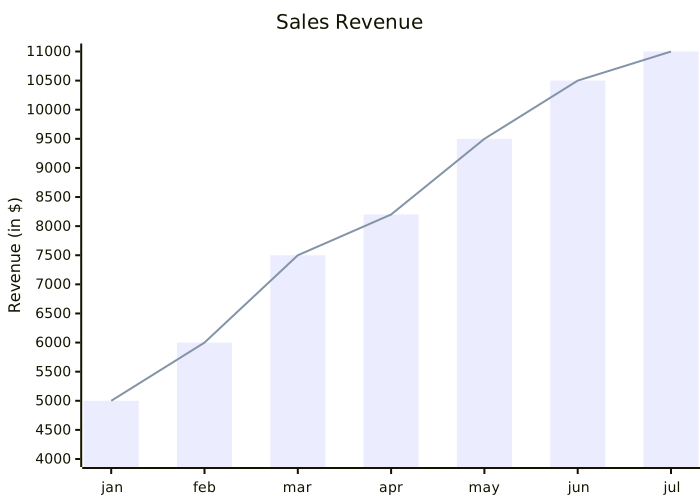
An XY chart plots numeric series — bars, lines, or both on the same axes. kymo's editor reads the Mermaidxychart-beta syntax.
This page works like a quickstart: as you scroll, the pane on the right shows the source and the preview for the section you're reading. Copy grabs the source; ▶ Open in editor loads it into editor.kymo.studio (pick mermaid in the diagram-type dropdown when starting from scratch).
x-axis takes either a category list ([jan, feb, …]) or a numeric range (0 --> 100); y-axis takes an optional quoted title and a range. Each bar […] or line […] line adds a series of values in x order — the example overlays both on the same data. Add horizontal after the header to rotate the whole chart.
The -beta suffix on the header is required — the syntax is still stabilising upstream.
xychart-beta
    title "Sales Revenue"
    x-axis [jan, feb, mar, apr, may, jun, jul]
    y-axis "Revenue (in $)" 4000 --> 11000
    bar [5000, 6000, 7500, 8200, 9500, 10500, 11000]
    line [5000, 6000, 7500, 8200, 9500, 10500, 11000]
Status. XY chart previews on this page and in the editor use the Mermaid renderer; importing XY charts into kymo's own pipeline (native SVG/PNG/PDF rendering) is on the roadmap.