
C4 Diagram
A C4 diagram documents software architecture at four zoom levels — system context, containers, components, code. kymo's editor reads the Mermaid C4 syntax (C4Context, C4Container, C4Component, C4Dynamic, C4Deployment), which mirrors the PlantUML C4 macros.
This page works like a quickstart: as you scroll, the pane on the right shows the source and the preview for the section you're reading. Copy grabs the source; ▶ Open in editor loads it into editor.kymo.studio (pick mermaid in the diagram-type dropdown when starting from scratch).
Mermaid marks its C4 support experimental — the syntax may still change upstream.
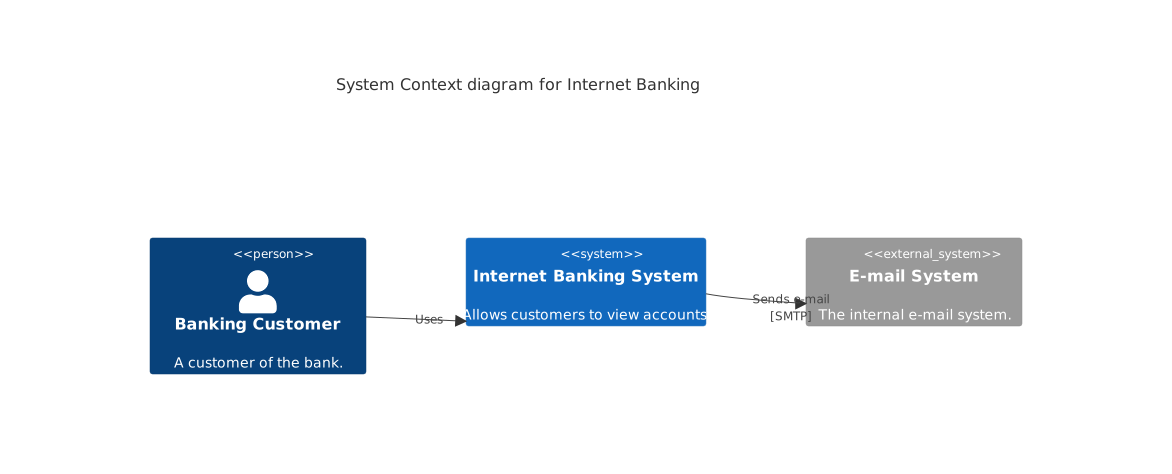
A context diagram declares people and systems as macros — Person(alias, label, ?description), System(…), with _Ext variants for things outside your boundary — and connects them with Rel(from, to, label, ?technology).
C4Context
    title System Context diagram for Internet Banking
    Person(customer, "Banking Customer", "A customer of the bank.")
    System(banking, "Internet Banking System", "Allows customers to view accounts.")
    System_Ext(mail, "E-mail System", "The internal e-mail system.")
    Rel(customer, banking, "Uses")
    Rel(banking, mail, "Sends e-mail", "SMTP")
Boundaries and containers
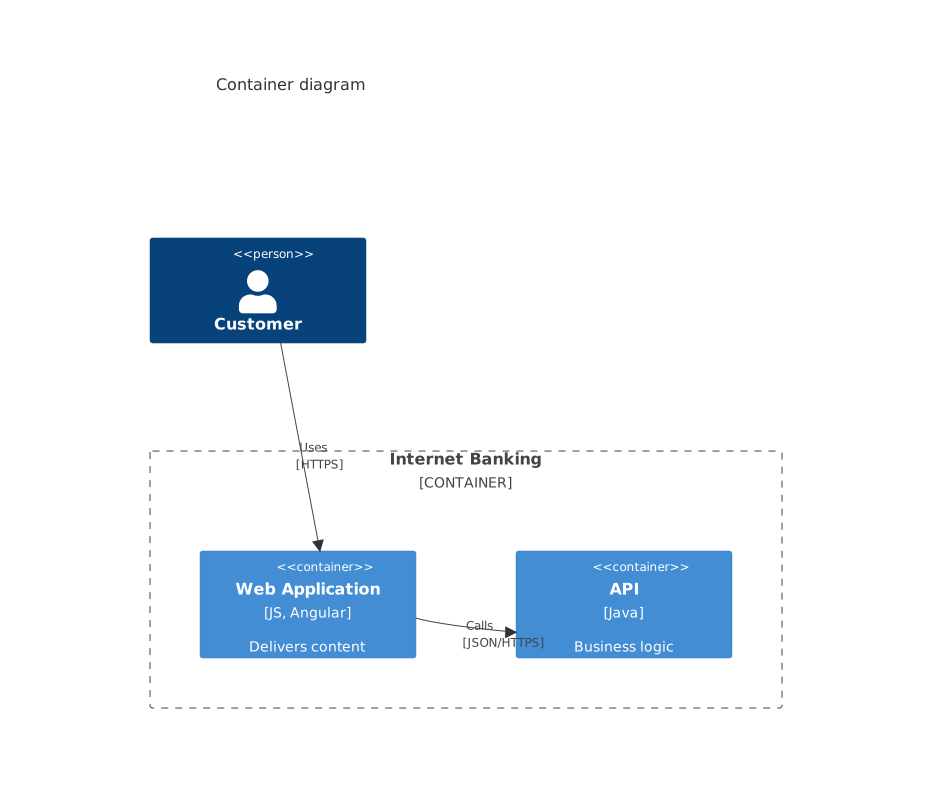
One level deeper, C4Container zooms into a system: Container_Boundary(alias, label) { … } draws the system's edge, and each Container(alias, label, technology, description) is an application or data store inside it. The same pattern continues with C4Component inside a container.
C4Container
    title Container diagram
    Person(customer, "Customer")
    Container_Boundary(c1, "Internet Banking") {
        Container(web, "Web Application", "JS, Angular", "Delivers content")
        Container(api, "API", "Java", "Business logic")
    }
    Rel(customer, web, "Uses", "HTTPS")
    Rel(web, api, "Calls", "JSON/HTTPS")
Status. C4 previews on this page and in the editor use the Mermaid renderer; importing C4 diagrams into kymo's own pipeline (native SVG/PNG/PDF rendering) is on the roadmap.
See also
- Architecture — a lighter cloud-service diagram with icons.
- Flowchart — for free-form boxes-and-arrows architecture sketches kymo renders natively.