
Quadrant Chart
A quadrant chart plots items on a 2×2 grid — the classic urgent/important or reach/engagement matrix. kymo's editor reads the Mermaid quadrantChart syntax.
This page works like a quickstart: as you scroll, the pane on the right shows the source and the preview for the section you're reading. Copy grabs the source; ▶ Open in editor loads it into editor.kymo.studio (pick mermaid in the diagram-type dropdown when starting from scratch).
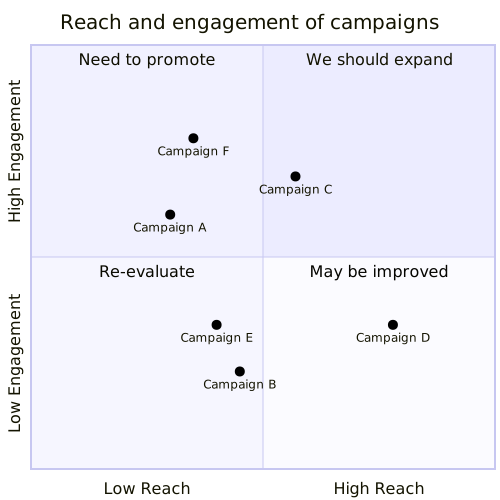
The example on the right is Mermaid's campaign matrix: axis labels, a caption for each of the four quadrants (quadrant-1 is top-right, numbered counter-clockwise), and one point per line.
quadrantChart
    title Reach and engagement of campaigns
    x-axis Low Reach --> High Reach
    y-axis Low Engagement --> High Engagement
    quadrant-1 We should expand
    quadrant-2 Need to promote
    quadrant-3 Re-evaluate
    quadrant-4 May be improved
    Campaign A: [0.3, 0.6]
    Campaign B: [0.45, 0.23]
    Campaign C: [0.57, 0.69]
    Campaign D: [0.78, 0.34]
    Campaign E: [0.40, 0.34]
    Campaign F: [0.35, 0.78]
Axes and points
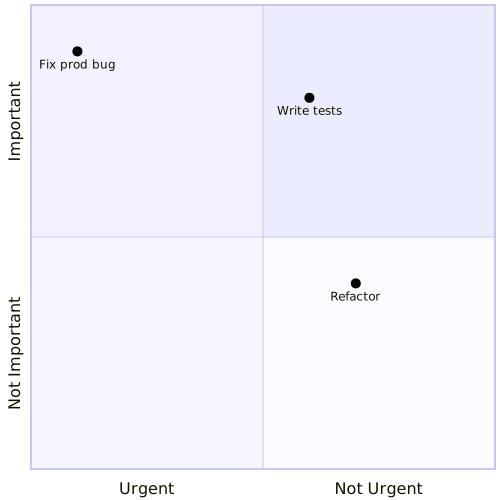
x-axis left --> right and y-axis bottom --> top label the axis ends — the right/top half of each label is optional. A point is Name: [x, y] with both coordinates in the 0–1 range. Quadrant captions are optional, as this example shows.
quadrantChart
    x-axis Urgent --> Not Urgent
    y-axis Not Important --> Important
    Fix prod bug: [0.1, 0.9]
    Write tests: [0.6, 0.8]
    Refactor: [0.7, 0.4]
Status. Quadrant chart previews on this page and in the editor use the Mermaid renderer; importing quadrant charts into kymo's own pipeline (native SVG/PNG/PDF rendering) is on the roadmap.