
Sequence Diagram
A sequence diagram shows how participants exchange messages over time. kymo reads the MermaidsequenceDiagram syntax.
This page works like a quickstart: as you scroll, the pane on the right shows the source and the preview for the section you're reading. Copy grabs the source; ▶ Open in editor loads it into editor.kymo.studio (pick mermaid in the diagram-type dropdown when starting from scratch).
Beyond the live preview, kymo converts sequence sources into a proper UML interaction model — ready to open in StarUML, Gaphor, or any XMI-consuming UML tool. See Exporting to UML tools.
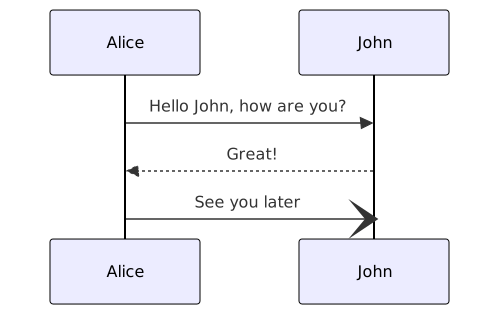
sequenceDiagram
    participant A as Alice
    participant J as John
    A->>J: Hello John, how are you?
    J-->>A: Great!
    A-)J: See you later
Participants
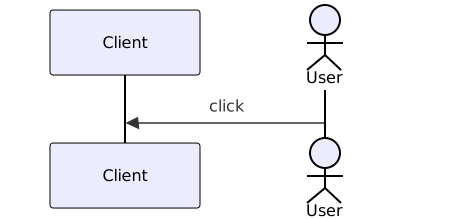
Declare participants with participant, or actor for a stick-figure actor. The optional as alias sets the display label; the id is what you use in messages. Participants you don't declare are created automatically the first time a message references them, in order of appearance.
Messages
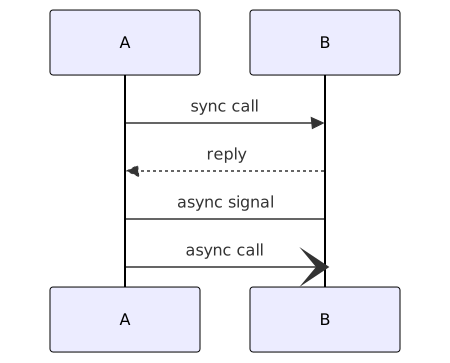
A message is Sender<arrow>Receiver: text. Each arrow maps to a UML message sort, so the distinction survives into the exported model:
| Syntax | Line | UML message sort |
|---|---|---|
A->>B: text | solid, filled head | synchronous call |
A-->>B: text | dashed, filled head | reply |
A->B: text | solid, open head | asynchronous signal |
A-->B: text | dashed, open head | asynchronous signal |
A-)B: text | solid, open head | asynchronous call |
A--)B: text | dashed, open head | asynchronous call |
A-xB: text | solid, × head | asynchronous call |
A--xB: text | dashed, × head | asynchronous call |
Self-messages (A->>A: think) are supported.
sequenceDiagram
    participant A
    participant B
    A->>B: sync call
    B-->>A: reply
    A->B: async signal
    A-)B: async call
Activations
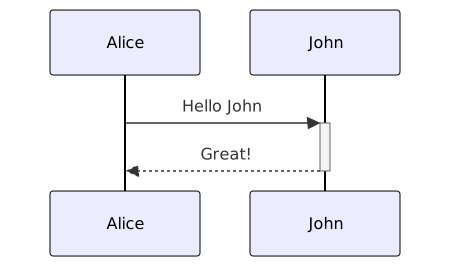
Mark when a participant is actively processing with the + / - shorthand on the arrow, or with explicit statements:
Alice->>John: Hello John
activate John
John-->>Alice: Great!
deactivate John
+ activates the target after the message; - deactivates the source.
Notes
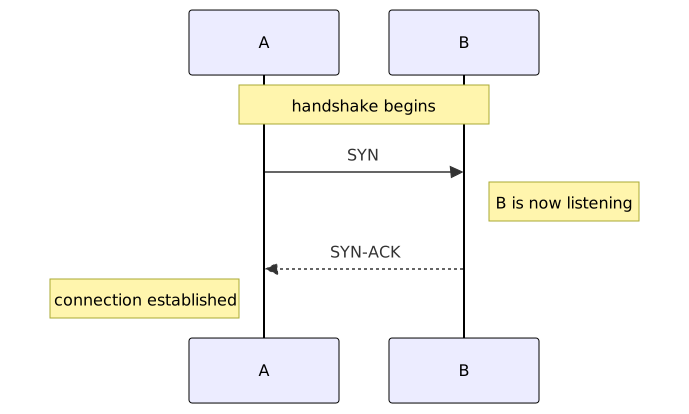
Attach commentary to one participant or span several. Note left of X, Note right of X, and Note over X (or Note over X,Y) are all supported.
sequenceDiagram
    participant A
    participant B
    Note over A,B: handshake begins
    A->>B: SYN
    Note right of B: B is now listening
    B-->>A: SYN-ACK
    Note left of A: connection established
Fragments: loop, alt, opt, par
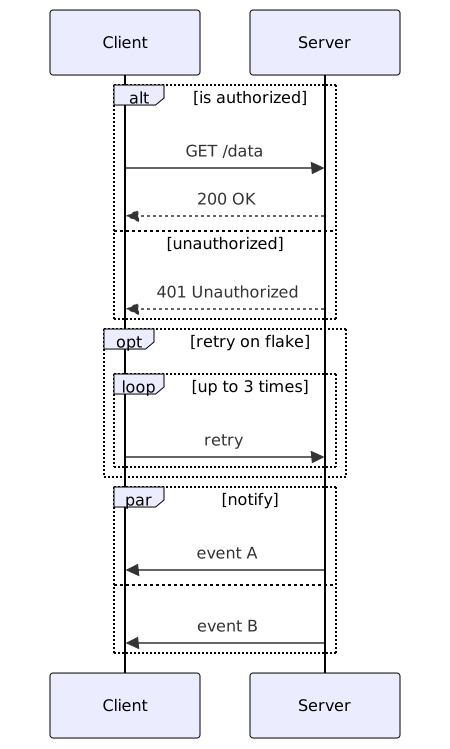
Combined fragments group messages under an operator, close with end, and nest arbitrarily:
| Operator | Meaning |
|---|---|
loop label … end | repetition |
alt guard … else guard … end | mutually exclusive alternatives |
opt guard … end | optional block |
par label … and … end | parallel blocks |
These map to UML combined fragments (loop, alt, opt, par) with the labels carried as guards.
sequenceDiagram
    participant C as Client
    participant S as Server
    alt is authorized
        C->>S: GET /data
        S-->>C: 200 OK
    else unauthorized
        S-->>C: 401 Unauthorized
    end
    opt retry on flake
        loop up to 3 times
            C->>S: retry
        end
    end
    par notify
        S->>C: event A
    and
        S->>C: event B
    end
Numbering
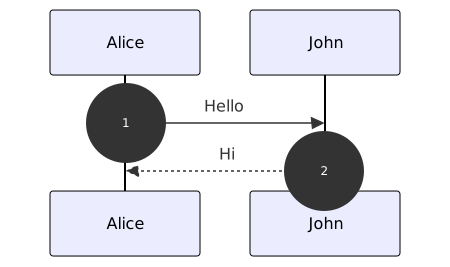
autonumber switches on sequential message numbering.
Exporting to UML tools
kymo's own pipeline turns the same source into a UML interaction model. With the Rust CLI (cargo install kymostudio) the output extension picks the target:
kymo seq.mmd seq.xmi          # OMG XMI 2.5.1 — portable UML interchange
kymo seq.mmd seq.mdj          # StarUML project, model + laid-out diagram
kymo seq.mmd seq.gaphor # Gaphor project, model + laid-out diagram.xmiis the vendor-neutral model: import it into Enterprise Architect, Modelio, or any XMI 2.5 consumer..mdjand.gaphorare native project files — open them directly in StarUML or Gaphor and the diagram is already drawn.
Status. Sequence previews on this page and in the editor use the Mermaid renderer; rendering sequence diagrams with kymo's own engine (SVG/PNG/PDF, like flowcharts) is on the roadmap.
Differences from Mermaid
- Accepted and ignored (no error, no effect):
box/endparticipant boxes,rectbackground highlights,title,links/link,create/destroyparticipant lifecycle, andautonumberformat arguments. - Not supported: the
criticalandbreakfragments.